ABANDONED AIRCRAFT HANGAR | MONSTER JAM STEEL TITANS
This illustrates an abandoned 1930’s airplane hangar staged in an environment similar to Sedona, Arizona's airport. Reference images for the building design were provided by my Art Director, Brad Bowling. The hangar was designed to be modular so that it could be assembled into varying configurations throughout the game level and be instanced into other prop assets utilizing a shared texture and material pipeline.
• Modeled and UV Mapped in Maya 2018
• Textured in Substance Painter and Photoshop
• Tiling textures created in Substance Designer and Quixel Mixer
Other Artist Credits:
• Misty Parnell - Lead Environment layout design
• Dillon Ryan - Environment layout design
• Chris Kurash - Extra props and layout
• Brian Buckles - Extra props
• Stephane Roncada - Technical art
• Brad Bowling - Art Director

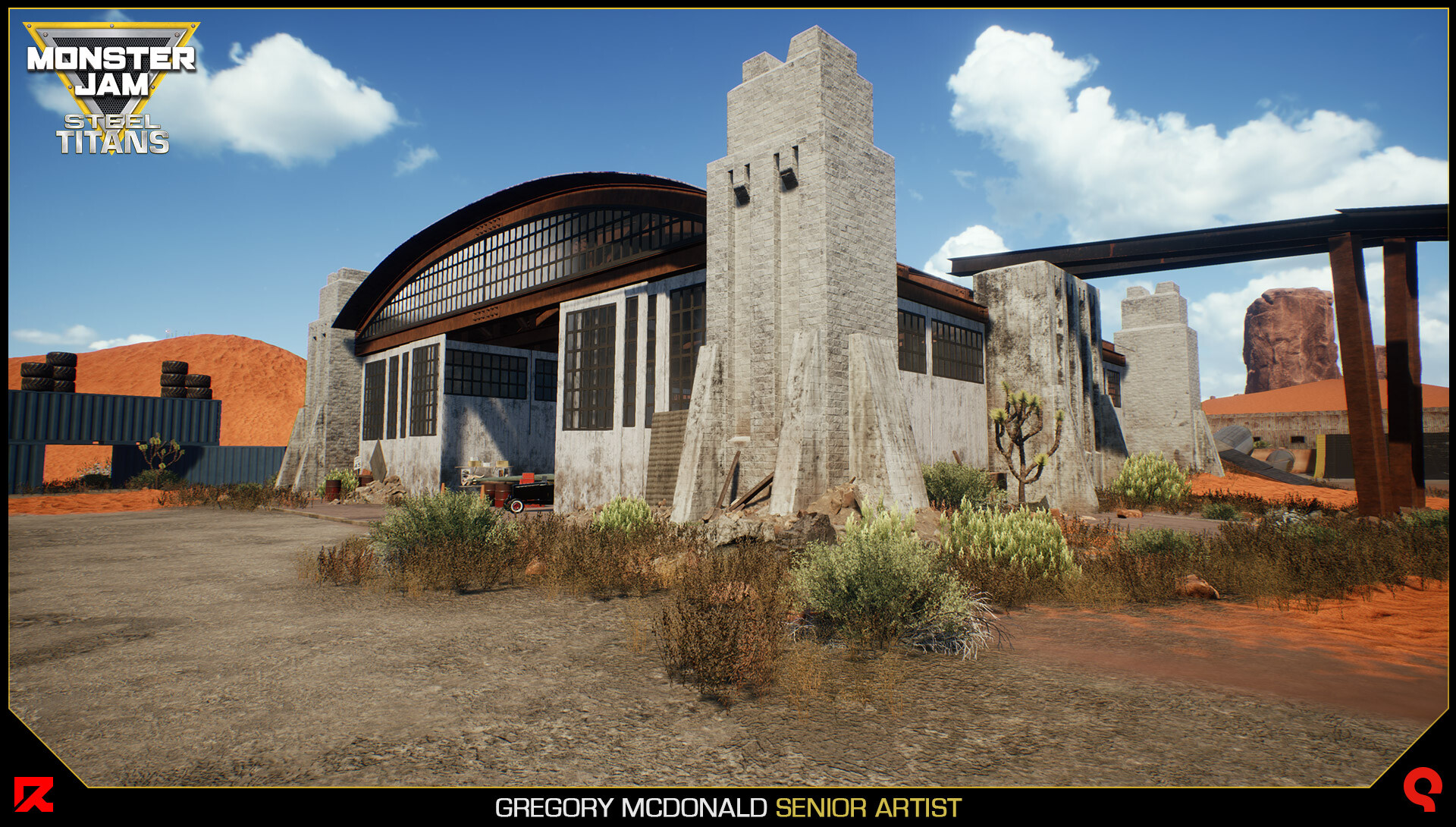
View showing all of the various scattered debris. You can also see the I-beams created for the hangar also being reused for a makeshift bridge platform for the Monster trucks to drive onto the roof.


The left-side wall transition starting to get swallowed up by the sand dunes. This was created to show how the sand dunes are slowly taking over the airport.

Here is another location near the far end of the airport where the hangar was used.

Inside shot with debris and the steel trusses. All of these pieces are modular so they can be used for other smaller assets throughout the abandoned airport.


The trucks can drive or spawn via the map tool on top of the buildings so I had to make sure even the roof areas 30 ft up had the correct detail.

Closeup of the painted chipped brick texture. This one was tricky because the UV’s had to line up correctly for the tiling on the brick texture.

I used a combination of an edge wear mask created in Substance Painter and two different tiling versions of textures.


I used a mud and dust parameter created by our Tech Artist Stephane Roncada to simulate dirt and grime at the base of the walls for all of my assets.

The hangar is created by the following individual assets that can be reused in various configurations throughout the level which is demonstrated later.

Additional modular brace assets demonstrating dynamic wear and the mud and dust parameters.

Module Roof pieces. The dynamic material layering is setup to adjust as these pieces are placed in world space so the tiling textures will always match up.


Here is an example of a jump created by my coworker Chris Kurash using the modular hangar assets to create a jump. This saved on texture memory and the assets could be instanced.

This is another screenshot of the jump with the steel beams and bolts Chris Kurash created.

Here is another stunt obstacle created in the Monster Jam University world with the hangar assets.

We decided to use my I-Beams for some piles of debris for the trucks to run into along with some rusty barrels.